
How to Design and Print Custom Sashes That Look Premium
People often get custom sashes for corporate events, weddings, graduations, and pageants. However, a good design isn’t enough to make one that looks good and lasts. This guide will teach you how to pick the right ribbon material, font, and foil, as well as how to use a ribbon printer to get clean, professional results with Shecan.
What Makes a Custom Sash Look Premium
It’s not just the design of a sash, it’s how everything looks when it’s printed and worn.
The right combination of these things will give you the look you want:
- Ribbon material
- Clear and readable layout
- Proper foil selection
- Correct printing method
When these elements are aligned correctly, the sash will look clean, polished, and professional.
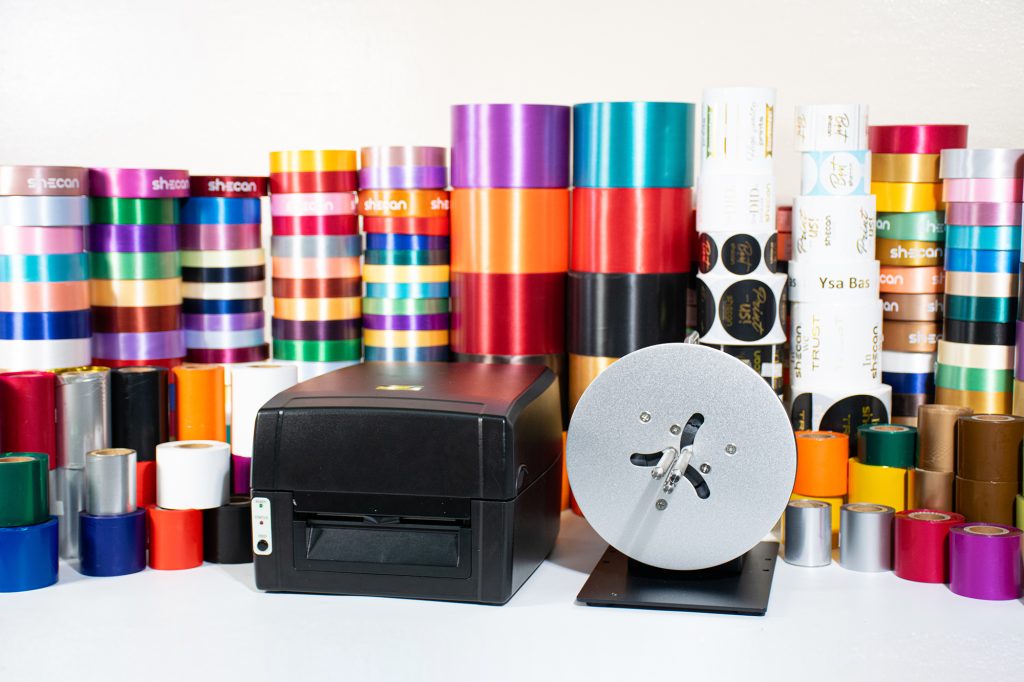
Start With the Right Ribbon
The ribbon is your foundation. If the material isn’t suited for printing, even a good design won’t come out as expected.
Shecan also offers their own line of ribbons, which they recommend based on the quality they have tested for their printing setup.
- Made from 100% high-quality polyester
- Soft, silky, and smooth texture
Common Ribbon Sizes
- 15mm
- 20mm
- 25mm
- 40mm
- 50mm
- 80mm
Shecan offers different ribbon types:
Cut Edge Ribbons
- Available in 40+ colors
- Sizes range from 1/2 inch to 4 inches
- Ideal for sashes and projects that require wider ribbon sizes and more color options.
Double Edge Ribbons
- Available in 15+ colors for 1/2 inch to 1 inch sizes
- Available in 1 color for 3/4 inch size
- Suitable for more structured or smaller-format ribbon applications.
- For sashes, wider ribbons like 50mm to 80mm are commonly used for better visibility.
Color contrast is also important. For better visibility, use dark ribbons with light-colored ink or light-colored ribbons with dark-colored ink.
Designing Your Sash: Keep It Clear and Balanced
A good sash design is easy to read and visually balanced.
Instead of adding too many elements, focus on clarity. Titles like “GRADUATE” or “BRIDE TO BE” should be easy to recognize at a glance.
Font Tips
- Use readable fonts
- Avoid overly thin or decorative styles
- Choose fonts that print clearly
Good choices:
- Sans-serif → clean and modern
- Serif → formal and classic
- Script → elegant (use thicker styles)
Layout Best Practices
- Center your text for balance
- Leave enough margins to avoid cut-offs
- Avoid overcrowding your design
A simple structure works best:
- Title → largest
- Name → medium
- Event name → smaller
- Always test your layout before final printing.
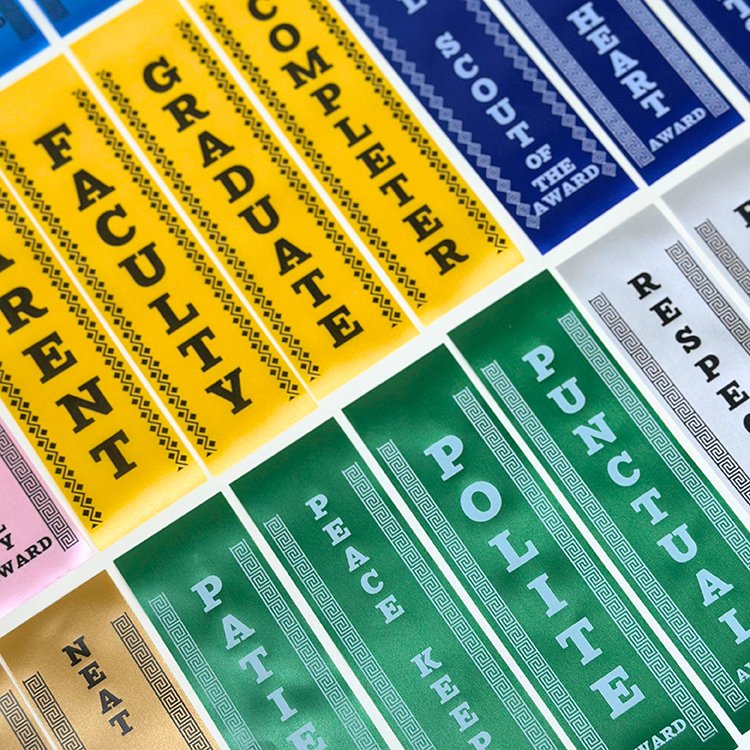
Printing Your Sash: What You Need to Know
Printing custom sashes using a ribbon printer is a straightforward process. Once your design is ready, you simply send it to the printer and test it before final production.
What matters most is using the right combination of printer, ribbon, and foil to achieve clean and consistent results.
Shecan offers both Leden ribbon printers and their own line of consumables, which they have tested to achieve the print quality they want for their customers, along with after-sales support to help you get consistent results.
- Their ribbons, foils, and other consumables are provided exclusively to their printer buyers, giving them access to materials that are not commonly available elsewhere. While you’re free to use consumables from other brands, only Shecan materials, patented for use with Shecan Foils and the Leden Printer, guarantee optimal performance and 10/10 print quality.
Leden Printer Models: 200 DPI vs 300 DPI
Leden ribbon printers come in different models, and one of the differences between them is print resolution.
- 200 DPI models (LG 920 and LG 920BW) are best for sashes or big ribbon use
- 300 DPI models (LG 930, LG 930BW, LG 930A, and LG 930C) are best for layouts with small and intricate details
- If you’re unsure which Leden printer model fits your needs, Shecan can help guide you based on the type of projects you plan to produce.
Choosing the Right Foil for Your Design
Foil gives your sash its final appearance, whether metallic or colored.
Shecan foils are designed for ribbon and label printing.
Types of Shecan Foils
Special Foils
- Gold (Bright Gold, Yellow Gold, Metallic Gold, Matte Gold, Bright Rose Gold)
- Silver (Bright Silver, Matte Silver)
- Metallic Blue
- Metallic Red
- Metallic Green
Basic Foils
- ROYGBV (Black, White, Green, Blue, Dark Blue, Yellow, Orange, Dark Pink, Purple, Brown, Red)
Foil and Ribbon Pairing Tips
- Use metallic foils on darker ribbons
- Match foil with your design
- Always test before production
- If you're unsure, Shecan can guide you in choosing the right combination.
Understanding Shecan’s Printing Setup
Shecan offers a structured setup for ribbon and label printing.
They provide:
- 6 types of Leden Ribbon Printer Models
- Access to Shecan consumables:
- Ribbons
- Foils
- Stickers
- Clothing labels
- These consumables are exclusively available to Shecan Leden ribbon printer buyers, giving them access to premium-quality ribbons and materials not commonly offered elsewhere.
Common Mistakes to Avoid
Common Problems
- Text too close to edges
- Designs cut off when worn
- Overcrowded layouts
- Incorrect material combinations
How to Avoid Them
- Leave proper margins
- Always test print
- Use the recommended materials
- Keep designs simple
- A quick test print helps you spot issues early.
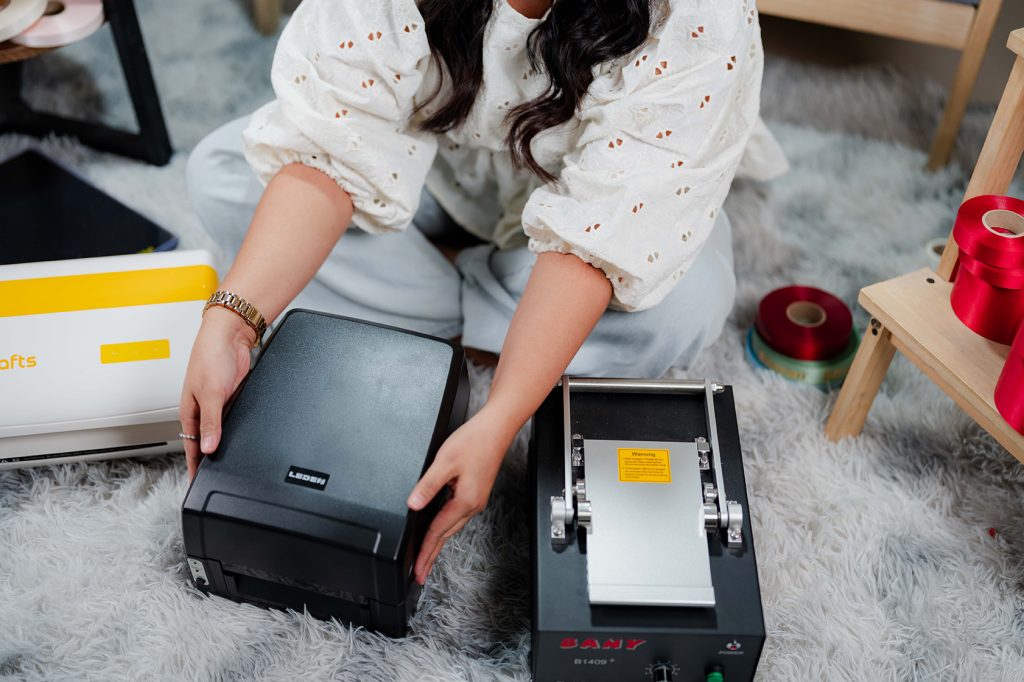
Turning This Into a Business Opportunity
Sash printing can be a good starting point for a print-based business.
What You Need
- A Leden ribbon printer
- Shecan’s consumables
- Design software
- Basic tools
With the right setup, you can expand beyond sashes and offer:
- Customized ribbons (for sash, condolence ribbons, and etc)
- Clothing tags/tafetta
- Hang tags for apparel brands
- Thermal sticker
- Precut stickers such as transparent, satin, or heat-resistant stickers
- This allows you to serve different types of customers, from event organizers to small business owners.
Start Creating Custom Sashes With Shecan
Creating custom sashes comes down to choosing the right materials, designing clearly, and using the proper printing method.
With Shecan, you get Leden Ribbon Printers along with exclusive access to high-quality consumables, available only to their printer buyers, plus tips on how to get clean and professional results.
Whether you're starting or improving your workflow, Shecan helps you get started with the right setup.